
Adverts
Live streaming is common nowadays. Brands, universities, musicians, and event organizers do it. At the beginning of the pandemic, from March to August 2020, usage increased significantly. There was a 300% increase. And the live streaming market grows 99% per year in some places, according to Digital TV Europe.
Adverts
With smartphones and laptops, live streaming has become easy. Platforms like YouTube and Facebook Live They helped a lot. Professionals also started doing live streams when they couldn't hold in-person events.
The right equipment is very important. But live streaming tools are also essential for organizing and changing formats. With them, you can avoid cancellations and continue delivering quality content.
Let's give you some tips on how to make a good one. live stream. We'll also show you tools to plan, create, and improve your live streams.
Why live streaming is indispensable today
Live streaming has become essential in digital strategies. It connects brands, educators, and producers with their audience directly. It's important both for keeping the audience engaged and for reducing event costs.
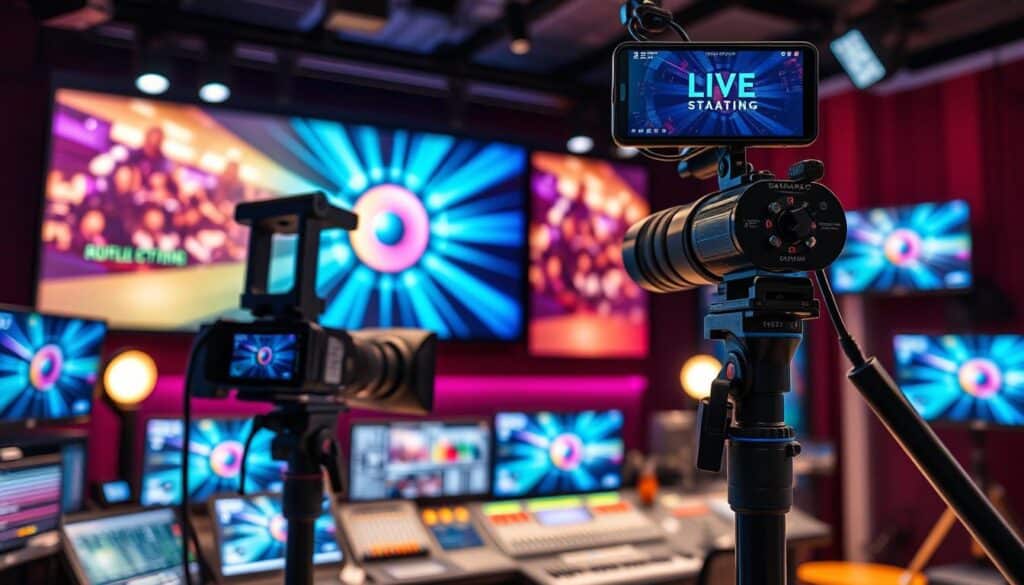
Market growth and current data
In 2020, the live streaming sector grew rapidly. Between March and August 2020, the number of streamed events increased by 300%. In specific segments, the annual growth was almost 99%.
Tools such as Facebook Live YouTube and other platforms have made streaming more accessible. Today, with smartphones and simple apps, anyone can do live broadcasts. This shows that it's now easier to do live streams, and many people are taking advantage of that.
Relevant use cases
Several situations demonstrate the power of live streaming. Companies hold online events to keep their programming safe. Artists offer concerts over the internet, and universities continue their classes in real time.
- Webinars to attract potential clients and train teams.
- Real-time fundraising campaigns.
- Launching products with immediate customer feedback.
These examples show how live streams help overcome engagement and reach challenges. They maintain authenticity and open up new earning possibilities. The trend is that live streaming will continue to be essential online.
Strategic planning for successful live streams
Learning how to do live streams is essential for brands and creators. Careful planning improves reach and reduces setbacks. Discover steps to organize your live stream effectively and with impact.
Defining goals and target audience.
First, define what you want to achieve with your live stream: more engagement, boost sales, raise funds, or educate. Each goal requires specific strategies and metrics. Knowing your goals helps you adjust strategies for better results.
Get to know your audience well. Find out which platform they use most: YouTube, Facebook, Instagram, Twitch, or LinkedIn. This helps you choose the best way to communicate and when to do your live streams.
- Objectives: reach more people, convert viewers, maintain audience loyalty.
- Target audience: age, interests, favorite platform.
- KPI: number of views, watch time, clicks received.
Roadmap, schedule and technical verification
Develop a detailed script for your live stream. Include an opening, key points, calls to action, and a closing. Having a script prevents improvisation that adds no value. Organize the sequence and timing to maintain interest.
Prepare a schedule assigning responsibilities for each part: the presenter, the sound technician, and the chat moderator. By dividing the tasks, you reduce the chances of errors during the live stream.
Before the live stream, do technical tests. Conduct a rehearsal and invite a limited audience. This allows you to adjust for latency, audio, and lighting issues.
- Technical checklist: verify connection, audio, camera, and encoding.
- Simulation: Make a test recording and review critical points.
- Plan B: Have alternative plans and a second connection option.
With well-defined goals, a mapped audience, a prepared script, and technical adjustments made, your broadcast will be more predictable and of higher quality.
Essential equipment: from basic to professional
Choosing the right equipment for live stream It varies depending on the objective and budget. For beginners, easy-to-use devices are recommended. They deliver good results quickly. Those aiming for bigger goals should opt for more complete equipment as their audience grows.
Devices for streaming: smartphone, notebook, and desktop.
A smartphone is a great place to start. The newest models from Apple and Samsung have cameras and features to stabilize images. Perfect for live streaming on social media.
More elaborate broadcasts require a laptop. It should have an SSD, 8 GB of RAM, and multiple USB ports. This facilitates the use of encoders and audio capture. Desktops, on the other hand, are better suited for those who want to make upgrades and produce content constantly.
- Beginner: smartphone streaming It is webcams simple.
- Intermediary: notebook live with capture card and USB microphone.
- Professional: desktop computer with audio interface and EFP cameras.
Recommended cameras by level
For those who are just starting out, webcams They are a good choice. Logitech, for example, offers high-quality models. They are easy to set up.
At an intermediate level, mirrorless cameras are more adaptable. The Sony Alpha and Canon EOS M are great. They strike a good balance between image quality and a variety of lenses.
Professionals should consider EFP or cinema cameras. These cameras accept SDI inputs and work well in multi-camera productions. Remember: good lighting, whether natural or artificial, improves any setup.
- Basic setup: smartphone streaming + ring light + lavalier microphone.
- Intermediate setup: mirrorless transmission Capture card notebook live.
- Advanced setup: EFP cameras + switcher + powerful desktop computer.
High-quality audio: microphones, interfaces, and mixing.
Having clean audio is crucial for any type of broadcast. Audio quality can increase audience attention and decrease the chance of them leaving. Here are some tips and options to improve the audio in your broadcasts, such as podcasts, webinars, and live streams.
Choose the microphone according to the type of transmission.
For those who are starting out and use a cell phone or laptop, a USB microphone It's easy to use. If you're going to do quick interviews or need to move around, using a lapel or USB microphone is a good idea.
For higher quality sound, it's worth looking at XLR microphones. Dynamic microphones, such as the Shure, are also an option. SM58, They are great for noisy venues and durable enough for outdoor performances. For studio vocals, the Shure SM7B It's the top-of-the-line model and offers a full, enjoyable sound.
- USB MicrophoneEasy to set up, perfect for beginners.
- SM58Durable, excellent for voices in noisy environments.
- SM7B: for studio use, with rich vocals and control over explosive sounds.
- Lavalier microphones for live streaming: small and convenient for those who need to move around.
Interfaces, mixers, and audio processing.
If you have multiple sound sources or need more control, a XLR interface A mixer is essential. Interfaces like the Focusrite Scarlett connect XLR microphones to a PC and allow you to adjust the volume quickly and without delay.
Using mixers and interfaces helps to adjust compression, equalization, and volume before going on air. Having a XLR interface A preamplifier reduces noise and keeps the sound stable.
- Positioning: Keep the microphone close to your face, about 8–15 cm away, for a clearer voice.
- Acoustic treatment: using panels, curtains, and carpets helps reduce echoes.
- Monitoring: Having someone to check if the audio is good live can prevent problems.
Choosing the right equipment for the type of content you create greatly improves the audio of your live streams. Simple adjustments to the recording and interface can make a big difference in how your audience hears you.
Encoders and transmission software
Choosing the right encoder can make all the difference in your live stream. There are options for a variety of users: from creators looking to save money to teams that need practical equipment for use on 4G/LTE networks.
Difference between hardware and software encoders
O hardware encoder It's perfect for those seeking stability and speed in response. Dedicated, these devices don't burden the computer. They are the choice of major broadcasters and events that cannot tolerate failures.
Software coders, on the other hand, are ideal for those who prefer flexibility without spending too much. With tools such as OBS Studio, It is possible to customize your broadcast, easily adjusting scenes and audio.
Wirecast It offers more advanced options for those who produce complex content. And for those who work in the field, portable hardware encoders that use 4G/LTE are lifesavers when the main connection fails.
Basic encoding settings
- Resolution: Choose between 720p, 1080p, or 4K depending on your target audience and platform.
- Codec and format: H.264 in MP4 remains the standard for compatibility.
- Transmission bitrateFor 720p I recommend 4–6 Mbps; for 1080p, 6–8 Mbps; adjust according to the audience's capacity.
- APRAdopt Adaptive Bitrate Streaming to deliver multiple qualities and reduce buffering for viewers with varying connections.
- CBR vs VBR: CBR facilitates predictability in live broadcasts; VBR can improve visual quality in static scenes.
Before the main broadcast, test various settings on OBS Studio or Wirecast. Keep an eye on CPU usage and connection speed to avoid problems.
In professional-level broadcasts, the combination of hardware and monitoring software makes all the difference. This provides greater security and allows for more precise control of your content.
Video streaming and hosting platforms
The choice of platform for broadcasting impacts brand success. Free platforms such as YouTube Live It is Facebook Live They increase visibility and integrate well with social networks. Paid services, on the other hand, offer advantages in security, video hosting, and ways to earn money.
Knowing the available options is crucial. For exclusive events, professional platforms such as Vimeo Livestream It is Dacast They are better. They offer more control and quality.
Native platforms versus professional services
To reach a large audience quickly, use free social media platforms. YouTube Live Facebook Live platforms make it easy to attract an audience without requiring much technical skill. They are perfect for viral content.
If you're looking for more control and a good customer experience, opt for paid services. Vimeo Livestream It is Dacast They allow for charging for video access and offer greater privacy. These are ideal for corporate events, online courses, and product launches.
How to choose the right platform
Think about your goals before choosing. Assess whether you need visibility or control over your content and money. The budget and size of the event will guide your choice between free or paid alternatives.
- Reach: Social media expands exposure for free.
- Monetization: prefer video hosting Professional for paywalls and subscriptions.
- Privacy: a choice Dacast or Vimeo Livestream when access control is necessary.
- Analytics: Check if the platform offers detailed metrics to optimize future broadcasts.
- Restreaming: confirm support for multistream whenever you want to stream across multiple platforms.
Conducting tests before the event is a good strategy. Practice at YouTube Live And in a paid option. This way, you ensure a quality stream.
Restreaming and multistream tools
Live streaming across multiple platforms requires planning. restreaming and the multistream They are essential for this. They allow you to reach different audiences without increasing the workload.
Let's explore the benefits and the best options available.
Advantages of streaming on multiple platforms
A major advantage of multistream It's about reaching more people. You can be on YouTube, Facebook, and other networks at the same time. This increases your visibility and engages you more with your audience.
Using a single channel for multiple broadcasts simplifies operations. This reduces technical problems at important events. It also makes quality management easier.
Com o restreaming, Audience information comes from a single point. This facilitates analysis and helps to optimize broadcasts quickly.
Main restreaming tools
Choosing the right tool depends on several needs, such as the number of broadcast locations, group chat capabilities, and how it works with your equipment. Check out some of the best options below.
- Restream It's great because of its ease of use and support for many destinations at the same time. Ideal for those seeking simplicity in multistreaming.
- Castr — It offers stability and advanced input features. Perfect for those who need reliable streaming and high-quality recording.
- Wave.video multistream — combines video production and distribution. Recommended for brands interested in a complete process from creation to distribution.
- Switchboard Live It's best suited for events with complex direction requirements and multiple destinations. Great for production teams that handle many broadcasts.
Use restream Straight to speed and precision. Combine with OBS or specific equipment for detailed adjustments if your project is more complex.
- See how many platforms are supported and the channel limits.
- Consider a unified chat for better moderation.
- Compare the prices with your recording needs and quality requirements.
Trying out each tool helps you decide which one is best. Making the right choice reduces costs and increases your online presence.
Visual and audio resources: overlays, soundtracks, and brand identity.
Good visuals and sound enhance any broadcast. Clear visuals and a cool soundtrack can keep the audience engaged. live visual identity It's like rules for being quickly recognized in every broadcast.
To create broadcast overlays and other graphic elements, there are tools available. Wave.video Overlay Maker, Canva, Snappa, and Crello are good options. With them, it's easy to maintain standardized colors and typography, as well as intro graphics.
A consistent set helps to apply quick changes during transmission.
Simple designs are best. They reduce visual noise and highlight what's important. Contrast and readability should be prioritized for good viewing on all devices.
- Choose colors and fonts before creating the graphic elements.
- Create static and animated elements.
- Testing at different resolutions helps with readability.
Creating graphic elements to improve the experience.
Use templates to save time. Adjust colors and typography to match your brand. Logos should be in vector format to maintain quality when resizing.
Use short vignettes for smooth transitions. They convey professionalism and signal changes. Opt for simple animations to avoid impacting encoder performance.
Soundtrack and copyright management
Choose royalty-free music or music with appropriate licenses to avoid problems. Platforms such as Pretzel, Monstercat It is Soundstripe They offer safe music. Always read the terms to protect yourself against copyright issues.
Include music credits when necessary and keep records of licenses. Use specific playlists for live streams and avoid mixing music with restrictions.
- Check the license before using live music.
- Choose music that is permitted on social media platforms like YouTube and Facebook.
- Have a plan B for removed songs.
With aligned visual elements and licensed music, your broadcast will have a more professional feel. The combination of overlays and visual identity enhances the audience experience.
Tools for content repurposing and post-production.
When you reuse a live stream, This increases your reach. The right tools reduce effort and improve results. View each live stream as a chance to create clips, articles, and podcasts.
Turning live streams into evergreen content
Create short clips for Instagram, YouTube Shorts, and LinkedIn. This attracts more visitors and keeps your audience engaged.
Turn your live stream into a podcast using platforms like Anchor and Libsyn. These tools make it easy to publish and distribute your content.
The transcript of the live stream can be turned into blog posts or e-books. This improves SEO and creates lasting educational material.
Recommended workflow for reuse.
- Capture: Record in high quality and save raw files.
- Editing: Make post-live cuts, add jingles, and enhance the audio.
- SEO optimization: improve titles, descriptions, and use relevant tags.
- Distribution: Publish across multiple platforms, with CTAs and links.
- Measurement: see what yields the best results and focus on that.
Platforms like Wave.video make it easy to reuse live streams. Automatic transcription tools save time and improve text quality.
Have clear CTAs for each type of content. A good sequence for capturing, editing, and distributing leads increases the chances of generating them.
Good technical and operational practices to avoid problems.
A stable broadcast requires preparation and testing in advance. Checking equipment and connection before events is crucial. This helps avoid live broadcast glitches.
Testing, redundancy, and risk management
Run test streams and simulations with a small number of people. Test the network with Speedtest. Monitor everything using a separate device.
- Create one live streaming checklist with audio, video and network components.
- Have a plan B with backup internet live Use 4G/LTE and check your data usage.
- Bring extra batteries, spare cables, and a backup camera whenever possible.
- Keep the setup simple at first and gradually increase the complexity.
Setting the environment and live performance behavior
Organize the space to minimize noise and distractions. The camera should be at eye level. This improves visual connection with the viewer.
- Lighting: opt for controlled natural light or a softbox to avoid harsh shadows.
- Audio: Keep the microphone 8–15 cm from your mouth and do sound checks before you begin.
- Basic acoustic treatment: simple curtains, carpets, and panels reduce echoes.
To organize a live stream, define the roles and timings for the team. Use signals to change scenes and resolve problems quickly. Practice speaking clearly and pausing while looking directly at the camera to engage the audience.
Setting the right environment is key. Do many rehearsals until everything is set up. This reduces stress and increases confidence during the broadcast.
Monetization, metrics analysis, and audience growth.
To make money from streaming, you need a well-thought-out strategy. Define your audience and what you will offer before choosing a sales model. Platforms like Vimeo, Dacast, and Wave.video help monetize and control access. They combine methods such as ticket sales, subscriptions, and... paywall live.
There are direct and indirect revenue models. Selling tickets and using paywall live It brings in direct money for each event. Having sponsorships and advertisements helps you earn more as your audience grows. Donations and product sales strengthen your community and increase revenue.
When choosing a platform, check if it has good payment support and access control. If it integrates with CRM, even better. These features allow your monetization to grow without payment issues. Try offering premium and free content to see what converts best.
Analyzing data is crucial. Without it, it's impossible to improve your sales. Live streaming metrics show performance in real time, allowing you to make quick adjustments to what you're offering.
- Key performance indicators (KPIs) for live streams include average watch time, retention rate, and peak audience.
- Engagement metrics include chat messages, reactions, and shares.
- For conversion and traffic, look at the conversion rate per channel and the cost per acquisition.
Use analytics to evaluate the best times and formats. Small changes can increase retention and improve KPIs. Weekly reports are useful for identifying trends and optimizing return on investment (ROI).
In addition to numerical data, consider viewer feedback. Quick surveys and polls after the broadcast are great for continuous improvement. Tools that combine metrics and payment management greatly facilitate the operation.
To grow your audience, focus on engaging content, be consistent, and constantly monitor your performance. Invest in paid promotion and partnerships when metrics indicate improved retention. This helps transform your audience into a stable source of revenue.
Conclusion
This summary of live streaming shows what's important: having goals, knowing your audience, and choosing the best platforms. Having good audio, a reliable internet connection, and a backup plan are essential. This will help you minimize problems when streaming.
To begin in the world of live streaming, Start with the basics. A microphone, a tripod, and a fast internet connection will help. Testing everything beforehand, making a list of what you need, and practicing with test broadcasts will make you feel more confident.
Use top-of-the-line market tools like OBS, StreamYard, Restream, Zoom and Wave.video. See how you're doing, reuse what worked well, and improve your on-screen visuals to grow. By planning and constantly improving, live streaming becomes a super skill.
FAQ
What has driven the growth of live streaming in recent years?
The increase in live streaming was rapid during social isolation. Growth was around 300% in live events between March and August 2020. User-friendly devices like smartphones and platforms such as YouTube and Facebook Live made streaming easy for everyone. This helped brands and musicians connect better with their audiences.
Which sectors migrated to live streaming most quickly and why?
Sectors such as commerce, education, and music quickly adopted live streaming. It helped events continue without cancellation and created new formats during difficult times. Webinars and live shows are good examples of this.
How do you define your objectives before a live stream?
First, decide what you want to achieve: engagement, sales, or education. Then, get to know your audience and choose your metrics. This helps you decide where to broadcast and how to invest in good technical quality.
What steps should I follow to plan a live stream script and schedule?
Create a plan detailing each part of the live stream and its estimated time. Have a checklist of things to review before starting and a schedule for the team. Run tests and simulations to avoid problems during the live stream.
Can I stream using only a smartphone or a laptop?
Yes, smartphones and laptops will do the job in the beginning. Use accessories like a tripod and microphone to improve quality. As your audience grows, consider more advanced equipment.
Which cameras are recommended for each production level?
To begin, use webcams or smartphones. For an intermediate level, mirrorless cameras and DSLRs are good options. Professionals should choose EFP cameras with more features.
Which microphone should I choose for my live stream?
Beginners should use lavalier or USB microphones. For higher quality sound, choose XLR microphones. The Shure SM7B It's great for lead vocals. Choose based on your mobility needs and environment.
When should you use a USB/XLR interface or a mixing console?
Use an interface or mixing console to better control audio from multiple sources. Interfaces like the Focusrite Scarlett are good for improving sound quality in your broadcasts.
What is the difference between a hardware encoder and a software encoder?
Hardware encoders are stable and use less CPU, ideal for professional-level production. Software encoders, on the other hand, such as... OBS Studio, They are more flexible and cheaper, but they require a good PC.
What are the basic encoding settings I should use?
Choose the ideal resolution (720p, 1080p, 4K) and adjust the bitrates. Use H.264/MP4 format as it is more compatible. Always test the upload speed to avoid problems.
Should I use free platforms (YouTube, Facebook) or professional hosting?
This varies depending on your goals. Free platforms increase reach. Professional hosting offers more control and monetization options. Choose based on your budget and needs.
What is restream and when should I use it?
Restream allows you to broadcast on multiple networks simultaneously, increasing your reach. It's great for important events. Use services like Restream or Switchboard Live according to your needs.
What tools can I use to create overlays and visual elements?
Use Canva, Wave.video, or other platforms to create visual elements for your live streams. This helps maintain a consistent and professional visual identity.
How do I manage soundtracks and copyrights during a live stream?
Choose licensed music to avoid copyright issues. Use secure libraries and always give proper credit for the music you use.
How can you reuse the content from a live stream after it's finished broadcasting?
Transform recordings into shorter content pieces for social media or podcasts. Use integrated platforms to facilitate this process and increase the reach of your content.
What workflow is recommended for transforming live streams into evergreen content?
Follow the flow: capture, edit, optimize, and distribute across multiple platforms. Use persistent calls to action and fixed links to facilitate conversions.
What good technical practices help to avoid problems during transmission?
Test your connection, prepare a backup plan for any issues, and keep the setup simple. Run test streams to ensure confidence.
How to prepare the environment and behavior for a live event?
Ensure good lighting and a stable camera. Reduce ambient noise and connect with your audience by looking directly at the camera.
What monetization models can I apply to broadcasts?
Explore ticket sales, sponsorships, and other models. Choose the best approach according to your audience and business objectives.
What metrics should I track to optimize my live streams?
Monitor view time, engagement, and traffic source. Adjust your strategy based on this information to improve.
What basic kit should I put together to start streaming safely?
Start with a quality microphone, tripod, and a good internet connection with a backup plan. Test your equipment before the event.
Content created with Artificial Intelligence Assistance